
Hey there, fellow makers and entrepreneurs!
If you’re reading this, chances are you’ve heard of the Glowforge – the slick, user-friendly desktop laser engraver that’s taken the crafting and small business world by storm.
It’s a fantastic machine, no doubt about it.
But maybe you’re like me, and you’ve started to wonder: “Is there something else out there? A Glowforge alternative that might be a better fit for my specific needs or budget?”
You’re in the right place! I’ve been down this rabbit hole, and I know why people start looking beyond the Glowforge.
This guide is all about helping you navigate the exciting, sometimes overwhelming, world of laser cutters to find your perfect machine.
Intro: Why Look Beyond Glowforge?
Let’s be real: Glowforge is awesome for many reasons – its intuitive software, smart camera, and sleek design make it incredibly approachable. But it’s not the only option, and it’s certainly not perfect for everyone.
Here are some common reasons I hear folks like you are seeking alternatives:
Cost: Glowforge units can be a significant investment, especially the higher-end models.
Power/Speed: You might need more cutting power or faster engraving for thicker materials or quicker production.
Work Area: Perhaps you’re dreaming of larger projects than the Glowforge’s bed size allows.
Material Compatibility: You might want to engrave metal directly, or work with other niche materials.
Software Flexibility: Maybe you prefer open-source software or less reliance on cloud-based processing.
Professional Needs: For a growing business, you might need a more robust, industrial-grade machine.
Whatever your reason, this guide will arm you with the knowledge to make an informed decision. We’ll break down the tech, compare top contenders, and help you choose your ideal laser cutter.
Essential Features & Specs to Compare
Before we dive into specific machines, let’s understand what makes a laser cutter tick. Knowing these features will help you compare apples to apples – or rather, diode to CO2!
Laser Type: CO2, Diode, or Fiber
This is fundamental. Each type has its strengths and ideal applications.
Laser Power (Watts)
Measured in watts, power directly impacts how fast you can cut and how thick of a material you can handle. More watts generally means more capability.
Work Area / Bed Size
This is simply the maximum size of material you can fit and process in your machine. Think about your biggest potential project!
Material Compatibility
What do you want to cut or engrave? Wood, acrylic, leather, glass, fabric, metal? Not all lasers can do it all.
Software & Ease of Use
Some machines come with proprietary, user-friendly software (like Glowforge’s); others integrate with third-party, more powerful but steeper-learning-curve options (LightBurn is a popular one).
Safety Features
An enclosure, proper ventilation, emergency stops, and interlocks are crucial for safe operation. Don’t skimp here!
Price & Budget
Laser cutters range from a few hundred dollars to many thousands. Know your comfort zone.
Build Quality & Durability
Is it a lightweight desktop unit or a sturdy, enclosed workhorse? Construction materials matter for longevity.
Customer Support & Community
Good support and an active online community can be lifesavers when you inevitably run into questions.
Navigating Laser Technologies: CO2, Diode, and Fiber
Let’s quickly demystify the three main types of lasers you’ll encounter when looking for alternatives.
CO2 Lasers: These are powerful workhorses, excellent for cutting and engraving a wide range of organic materials like wood, acrylic, leather, paper, fabric, and even some glass and stone. They typically offer higher power (20W-100W+ for desktop/small business models) and faster speeds than diode lasers. Glowforge uses a CO2 laser.
Diode Lasers: Generally more affordable, compact, and portable, diode lasers are fantastic for hobbyists and smaller projects. They excel at engraving wood, leather, and softer materials, and can cut thinner wood and acrylic. They are not effective on clear acrylic or glass, and their power is usually lower (5W-20W optical power, though advertised higher).
Fiber Lasers: These are specialists, primarily used for marking and engraving metals directly, and some plastics. If your main goal is metal etching, a fiber laser is what you need, but they are generally less versatile for organic materials compared to CO2.
For most Glowforge alternative seekers, you’ll be looking primarily at CO2 and Diode lasers.
Best Entry-Level & Hobbyist Options (Diode)
If you love the crafting aspect of Glowforge but need something more budget-friendly, more compact, or perhaps with a different software approach, a diode laser might be your perfect match.
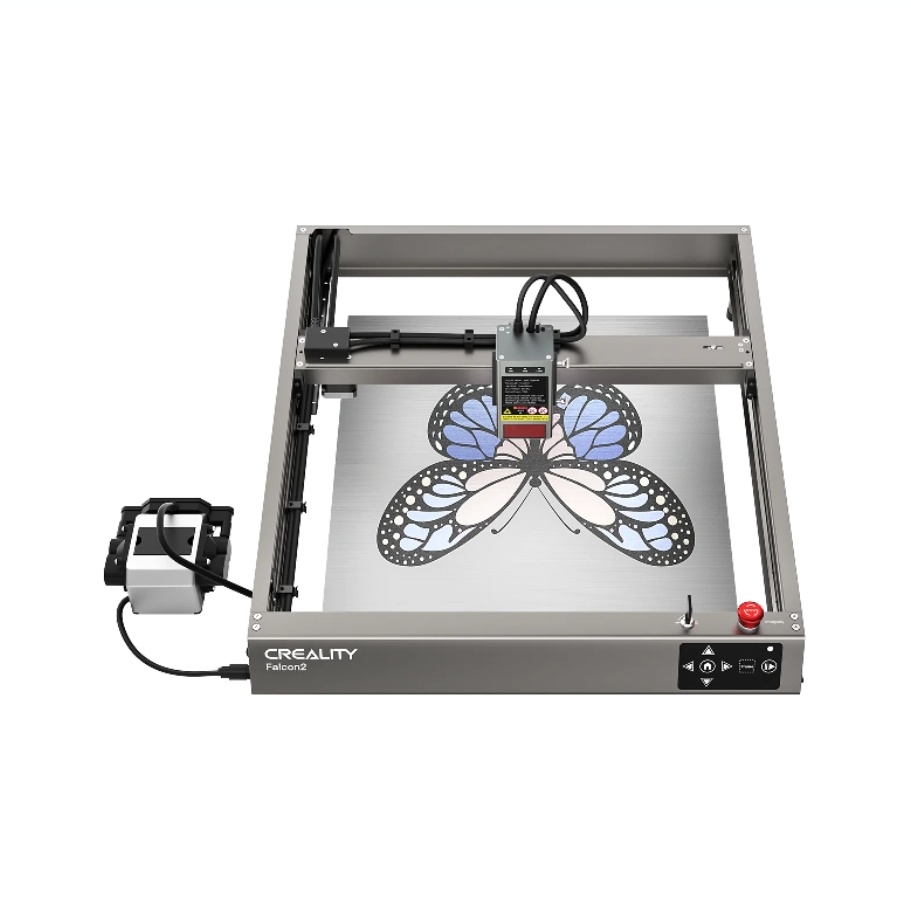
Creality Falcon Series: Best Cutting Power for the Price
The Creality Falcon lineup—especially the Falcon2 22W, 40W, and 60W—is one of the strongest and most cost-effective xTool D1 Pro alternatives. These machines focus on raw cutting performance, stable build quality, and seamless LightBurn compatibility, making them a favorite among small businesses and serious makers.
Key Features: Powerful diode modules (22W, 40W, 60W), built-in or automatic air assist, high-speed engraving, stainless-steel honeycomb panel options, full LightBurn support.
Pros: Exceptional cutting power for the money, excellent build quality, accurate auto-focus on the A1 Pro, handles thick wood and leather better than most diode competitors, no dependency on proprietary materials.
Cons: Open-frame unless paired with an enclosure, diode limitations apply (cannot cut transparent acrylic), slightly more technical than Glowforge-style plug-and-play units.
Ideal User: Small business owners, Etsy sellers, and advanced hobbyists who want the strongest diode cutting performance without paying CO₂ laser prices.
X-Tool D1 Pro: Maker’s Favorite
The X-Tool D1 Pro is a fantastic, open-frame diode laser that I see recommended constantly. It offers excellent precision and build quality for its price.
Key Features: High-power diode options (up to 20W optical), sturdy aluminum frame, fast engraving speeds, compatible with LightBurn.
Pros: Great value, modular design, precise, active community, versatile for wood/leather/dark acrylic.
Cons: Open-frame design requires external enclosure for safety/ventilation, not ideal for thick cuts.
Ideal User: Serious hobbyists, crafters, small business owners focused on engraving or thin material cutting.
Sculpfun S10: Budget-Friendly Power
Sculpfun offers a range of solid diode lasers, and the S10 is a strong contender for its balance of power and price.
Key Features: 10W optical power, large work area options, air assist nozzle included for cleaner cuts.
Pros: Very affordable, good power for a diode, easy assembly, great for beginners.
Cons: Similar to X-Tool, it’s open-frame, so safety precautions are key.
Ideal User: Newcomers to laser engraving, budget-conscious crafters.
Ortur Laser Master 3: Speed & Simplicity
Ortur has been a big name in diode lasers for a while, and their Laser Master 3 focuses on speed and a refined user experience.
Key Features: Fast speeds, 10W optical output, multiple safety features, includes an emergency stop button.
Pros: User-friendly, excellent speed, decent work area, strong community support.
Cons: Still an open-frame design, so ventilation is important.
Ideal User: Hobbyists who prioritize speed and a good balance of features and affordability.
Powerful & Pro Alternatives (CO2 Lasers)
If your primary reason for looking beyond Glowforge is a need for more power, a larger work area, or the ability to cut thicker materials, then a dedicated CO2 laser machine is likely what you need. These are often more industrial in nature.
OmTech K40 Series: The Entry-Level CO2
The OmTech K40 is almost legendary as the “gateway” CO2 laser for many. It’s a compact, desktop-sized CO2 machine.
Key Features: Typically 40W CO2 laser, enclosed design, water-cooled, budget-friendly CO2 option.
Pros: Very affordable for a CO2 laser, good for cutting acrylic and wood, capable of detailed engraving.
Cons: Small work area, often requires tinkering/upgrades out of the box (e.g., better air assist, ventilation), basic software.
Ideal User: Advanced hobbyists, makers comfortable with DIY upgrades, those needing CO2 power on a tight budget.
Dremel LC40: The Familiar Brand
Dremel, a name synonymous with crafting tools, offers its own CO2 laser cutter, the LC40. It aims for a user-friendly experience similar to Glowforge but with professional backing.
Key Features: 40W CO2 laser, larger work area than K40, enclosed, Dremel’s support network.
Pros: Reputable brand, solid build quality, intuitive software, strong safety features, good for education/small business.
Cons: Higher price point, not as powerful as some larger CO2 options, more locked-down ecosystem.
Ideal User: Schools, small businesses, crafters who value brand reliability and ease of use.
Thunder Laser Mini: Pro-Grade Power
Stepping up to a Thunder Laser Mini is a move towards a truly professional-grade machine. These are serious tools for serious production.
Key Features: Higher power options (30W-60W+ CO2), robust build, large work areas, premium components, LightBurn compatible.
Pros: Exceptional cutting speed and quality, highly durable, reliable, excellent customer support, professional output.
Cons: Significant investment, larger footprint, steeper learning curve for advanced features.
Ideal User: Small to medium businesses, serious makers, educators, anyone needing production-level quality and reliability.
Affordable & Open-Source Glowforge Alternatives
Beyond the mainstream, there are options for those who want ultimate portability, or prefer to build their own setup.
LaserPecker 2: Portability & Handheld Power
For those who want to engrave anywhere on anything (within reason), the LaserPecker 2 offers unmatched portability.
Key Features: Portable, handheld, and desktop modes, powerful diode laser, fast engraving.
Pros: Incredible portability, can engrave curved surfaces, great for on-the-go projects or unique applications.
Cons: Small engraving area in desktop mode, limited cutting capability, distinct use case.
Ideal User: Artists, small-item personalizers, mobile businesses, anyone prioritizing ultimate portability.
Exploring DIY/Kit-based Options
For the truly adventurous and budget-conscious, building your own laser cutter from a kit (like those based on OpenBuilds or similar platforms) or modifying a K40 is an option.
Key Features: Completely customizable, often CO2 or high-power diode.
Pros: Significant cost savings, learning experience, tailor-made to your exact specs.
Cons: Requires technical skill, time investment, no direct support, potential safety risks if not properly built.
Ideal User: Experienced makers, engineers, those with a strong technical background and a desire to build.
Choosing Your Ideal Alternative: Key Considerations
So, how do you pick your perfect machine from this awesome lineup of Glowforge alternatives? It boils down to a few critical questions about your specific situation.
Define Your Budget: How Much to Spend?
Be honest with yourself about your budget. Remember to factor in not just the machine, but also accessories like a dedicated ventilation system, air assist, and materials.
Identify Your Primary Use Cases: What Will You Make?
Are you engraving intricate details on leather, cutting thick wood for furniture components, or etching designs on tumblers? Your projects dictate the laser type and power you need.
Assess Your Skill Level: Beginner or Pro?
Some machines are truly plug-and-play, while others require a bit more technical know-how for setup, maintenance, or software mastery. Don’t bite off more than you can chew!
Consider Your Workspace: Size & Ventilation
Laser cutters need space and excellent ventilation. Open-frame diode lasers require you to create your own safe, ventilated enclosure. Enclosed CO2 lasers still need to vent fumes outdoors.
Future-Proofing: Grow with Your Machine
Think about where you want to be in a year or two. Will your current projects scale up? Will you want to experiment with new materials or larger designs? Investing a little more upfront can save you from needing an upgrade sooner.
Conclusion: Finding Your Perfect Fit
As you can see, there’s no single “best” Glowforge alternative out there. The best machine is the one that perfectly aligns with your budget, your projects, your skill level, and your workspace.
I’ve laid out the landscape for you, from affordable diode lasers for hobbyists to powerful CO2 machines for professionals. Take the time to weigh the pros and cons of each option based on your unique requirements. Read detailed reviews, watch some YouTube videos, and even join a few online communities for the machines that catch your eye.
Your perfect laser cutter is out there, and I hope this guide has brought you one step closer to finding it and bringing your amazing creations to life! Happy lasering!